Switzerland 2023
Departure
DAYS 9-10 : TUESDSAY JULY 11, 2023
Restaurants
- Dinner: Restaurant TimeOut, Zurich
Unfortunately, with all such great trips, it had to come to an end at some point. It was time to come back to face reality - almost.
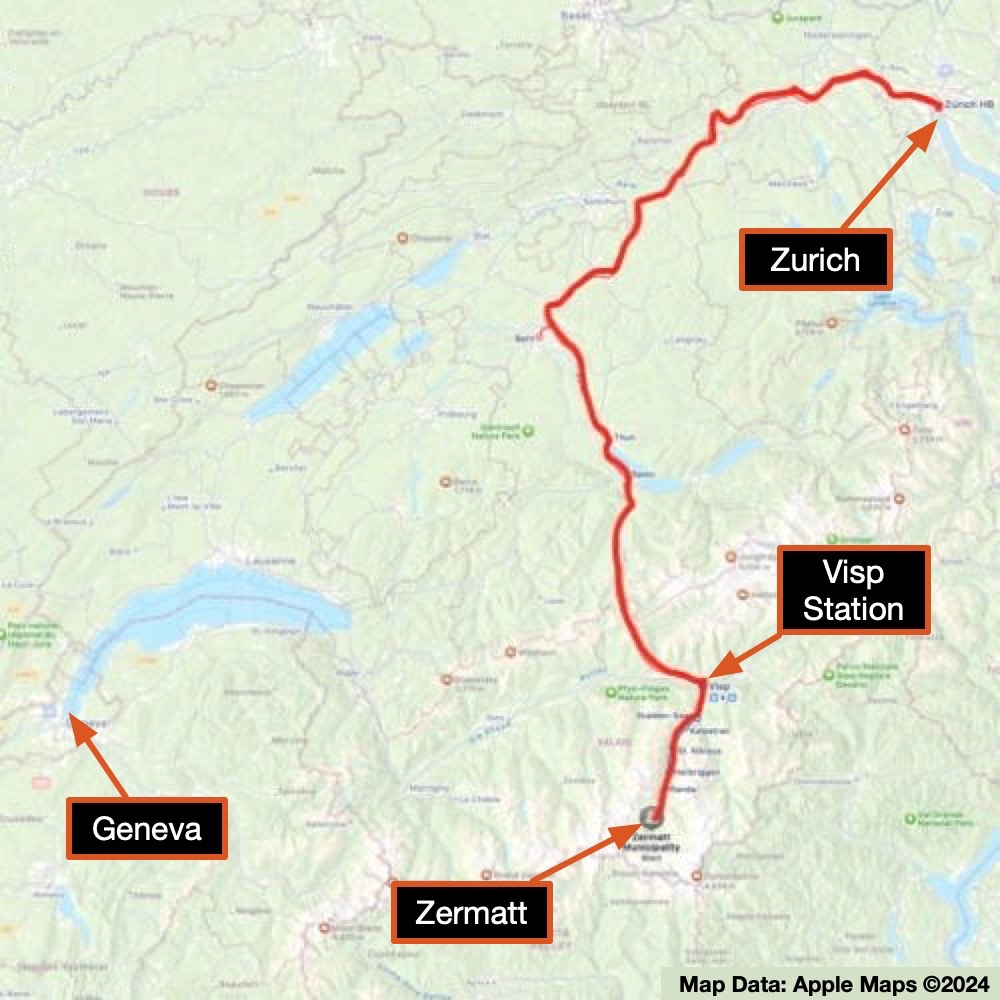
The day started with a great breakfast buffet at our nice hotel (Hotel Phoenix - major compliments to the managers and desk people). As we prepared to catch the train down the canyon to the VISP station for connections, we received word of a rockslide on the tracks (other places have tornados, earthquakes, floods, etc. - the Alps have rockslides and avalanches). As usual, the Swiss are efficient and can handle this stuff. Busses showed up and headed down packed with passengers and luggage (not always on the same bus). With typical Swiss efficiency, by the time Pierre was ready to catch a later train, the slide had been cleared and everything was back to normal.
At the Visp station, we went our separate ways. It was really fun waiting by the track for my train considering it was around 35 deg C (95 deg F) in the shade. Add all the pavement and cement in the station - I went through a lot of water as I waited.
The train came on time as expected and off I went for an overnight stay in Zurich. There was no way to catch a flight back to Toronto that day so I had arranged for a direct flight early the next morning out of Zurich.
The main train station in Zurich is huge. It took me a while to figure out how to escape the station. While hot there was lots of shade so that was manageable. To get to my hotel I had the challenge to cross some interesting traffic areas which took me a while to figure out but I made it.
I had picked a ‘reasonably priced’ hotel for my stay near Old Town, figuring I would like to wander a bit and explore that evening. Old Town Zurich is supposed to be a fun place with shops, restaurants, bars, cool architecture, etc.
On the way to my hotel (Hotel St. Josef), I discovered that Zurich has sidewalks that are for bicycles only - no pedestrians. Unfortunately, by the time I realized I was on such a walkway without a bike, I had passed by stairs that would have gotten me up to the level of my hotel. And crossing the traffic on the street to the pedestrian sidewalk on the other side - wasn’t going to happen with the traffic. So I put on my best oblivious tourist face and walked up the slope with my luggage while keeping an eye out for bicycles (both directions) so that I could get out of their way. Keep in mind it was plain hot during all of this.
I walked into the entrance of my hotel to find a lot of construction and painting. I ended up going into their attached restaurant to find someone to check me in. They were very nice and apologized for the remodeling. I got to my room and - air conditioning!!! Time to shower, dry off, and then find some clean clothes. Plus a nap (who knew that one would be so tiring after such a great week of hiking!)
I looked at restaurant choices - too many (I hate making such choices) so I ended up just eating at the hotel on their patio (yes, in the heat - their indoor part of the restaurant was open to the outside so it was both hot and with no airflow). I had my iPad with me so I enjoyed my meal while reading. Not too many people there but again, it was very hot.
To close out yet another great adventure, the next morning I checked out, found my way back to the train station (very easy this time - I had learned the prior day quite well), and caught my train to the airport (very short and inexpensive ride).
I had booked a direct flight with Air Canada back to Toronto and had splurged for business class. At the airport, I explored a bit and then enjoyed the lounge. And once on the flight, I had a nice recliner cubicle-style seat. Just over 9 hours later watching some movies, looking at photos, and having nice naps, I was home!
VIEWING HELP
To close this window, click the X in the upper right hand corner. Or click anywhere outside of this window's area.
Photos from each day are shown in thumbnail (small) form. Panoramas are either wide or tall images, while normal photos are small rectangles. All photos shown in the PHOTO SHOWCASE section can be enlarged for better viewing. Photos will enlarge to fit your browser window width. Therefore, to view them at larger sizes simply make your browser window wider.
If there is any issue or the need to inquire/comment about an image, please refer to the Image ID label (see below) of the specific image along with the trip name found at the top of the browser window.
Video Clips
Depending on the browser, some of the controls may not always be supported.
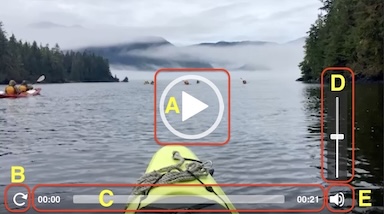
Most videos will start playing automatically. Sound is automatically off even if included with a video. See D, E below for sound control.
A few small videos are set to loop endlessly, while most just play to the end.
- A: To start or stop a video, click in this area (even if the symbol is not visible)
- B: If a browser shows this symbol, clicking on it will restart the video from the beginning
- C: Progress bar - will display total video time on the right.
- D, E: This seems to have the most variants between browsers. If the video description says 'w/ sound’, you can adjust the volume with this control
If neither is visible, move the cursor to the E area and either E and/or D will be visible
If E is visible but not D, click on E
Once D is visible, slide the bar up or down to adjust the volumn
Panoramas
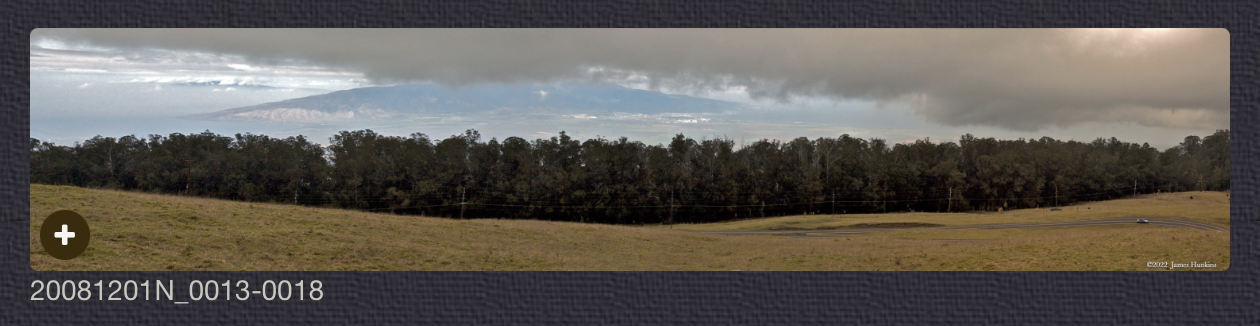
Clicking anywhere on a panorama thumbnail will cause the image to expand to fill the browser width. Clicking again anywhere in the browser window or scrolling the browser window will cause the expanded image to shrink back to its smaller thumbnail size.
The Image ID and description is found just below the thumbnail image on the left side.
Individual Photographs
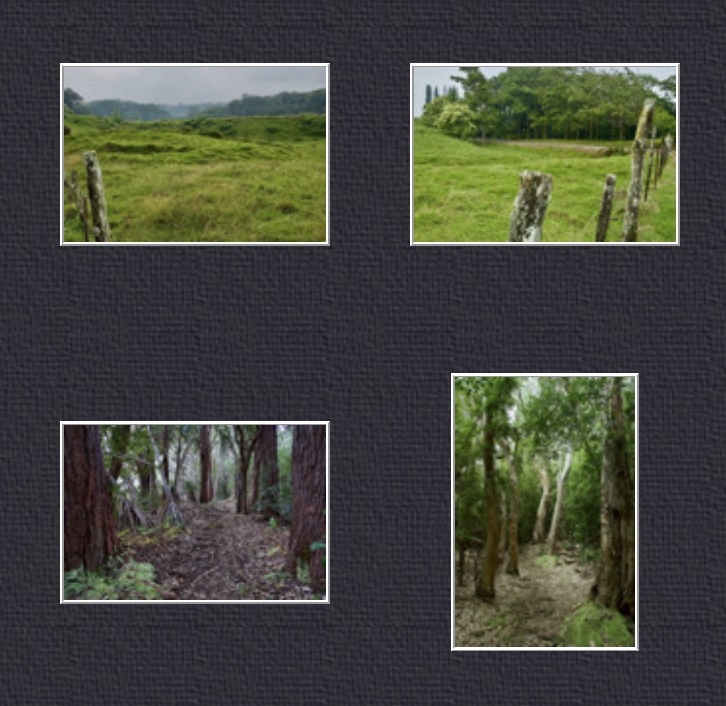
If you click on any photo thumbnail, it will open a larger viewer which can be used to walk through all of the standard photos on the page. Once open, to go forward click on the > on the right side of the enlarged image. To scan backwards, click on the < on the left side. To close the larger images either click on the X in the upper right hand corner of the browser window or anywhere outside of the enlarged image.
The Image ID label can be found by hovering a cursor over the thumbnail image (may not be available on some tablets/phones) or, once enlarged, from the lower left hand side just under the image.
Additionally, in the same area as the Image ID (or the upper left corner for newer/updated sites) a count showing the current image number versus the total number of images available for viewing.

For newer or updated sites (look for the orange checkbox in the header of a sites main page), additional buttons have been added when viewing a full size image. From left to right, the buttons are:
- Email: will open an email with information and a link to the current image
- WhatsApp: if WhatsApp is on your system, will open a browser window to open WhatsApp and create a message with information and a link to the current image
- FaceBook: Will open a browser window to open Facebook and create a message with information and a link to the current image
- full screen: will take over the entire display versus just the browser in most systems; ESC returns to the brower only mode
- magnify: enlarges the image within the browser or full screen; if the image is larger than can be displayed it can be scrolled
- exit: will close the large image viewer returning to the thumbnails



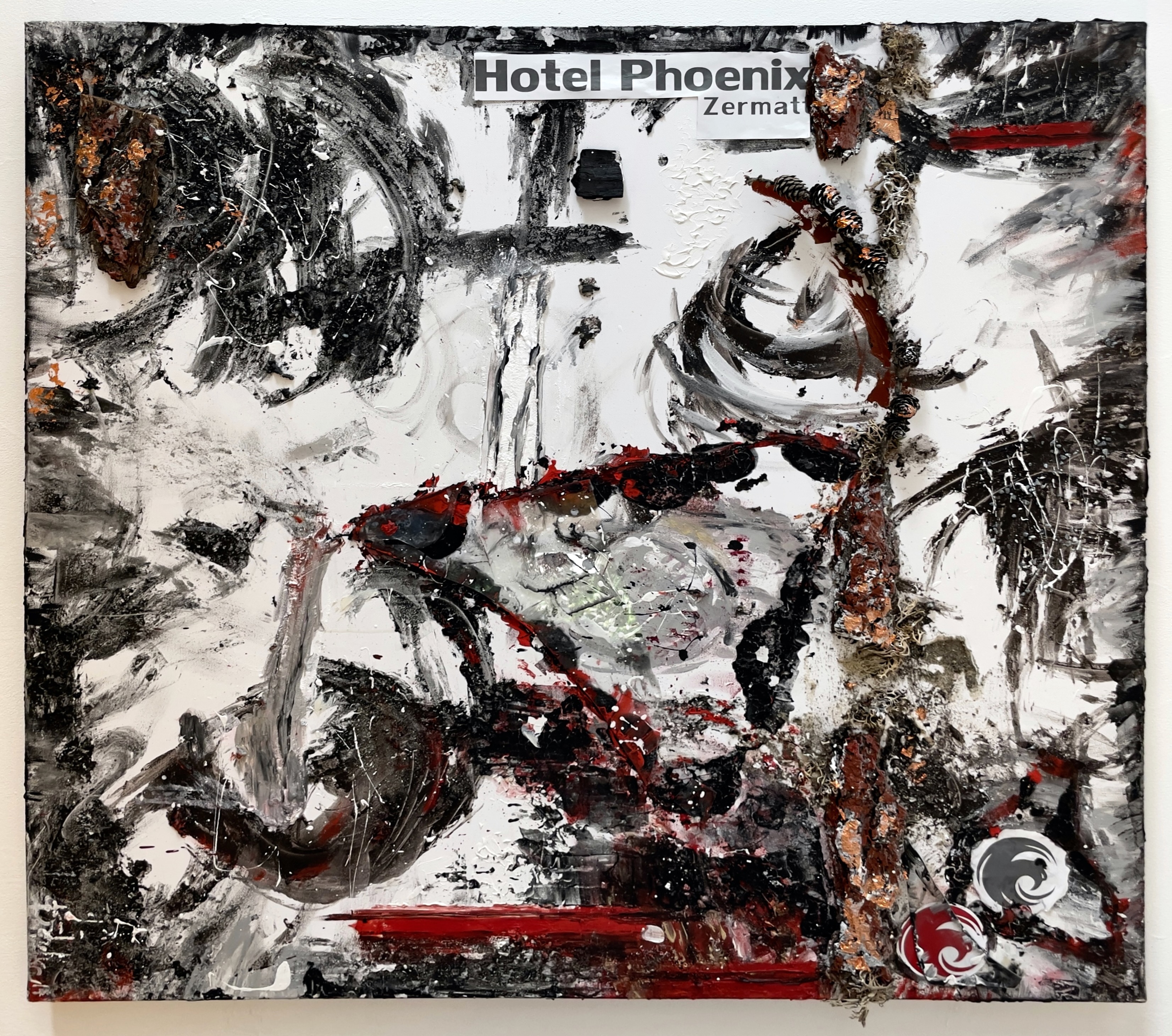
Painting in the Hotel Phoenix lobby